
Ad-Hoc Reports - Leave Requests
The Ad-Hoc reports contain a much wider spectrum of information than the standard reports that can be run. They are split up into four sections. They also come with a much more advanced filter which makes it much easierThis page will detail the Leave Requests report.
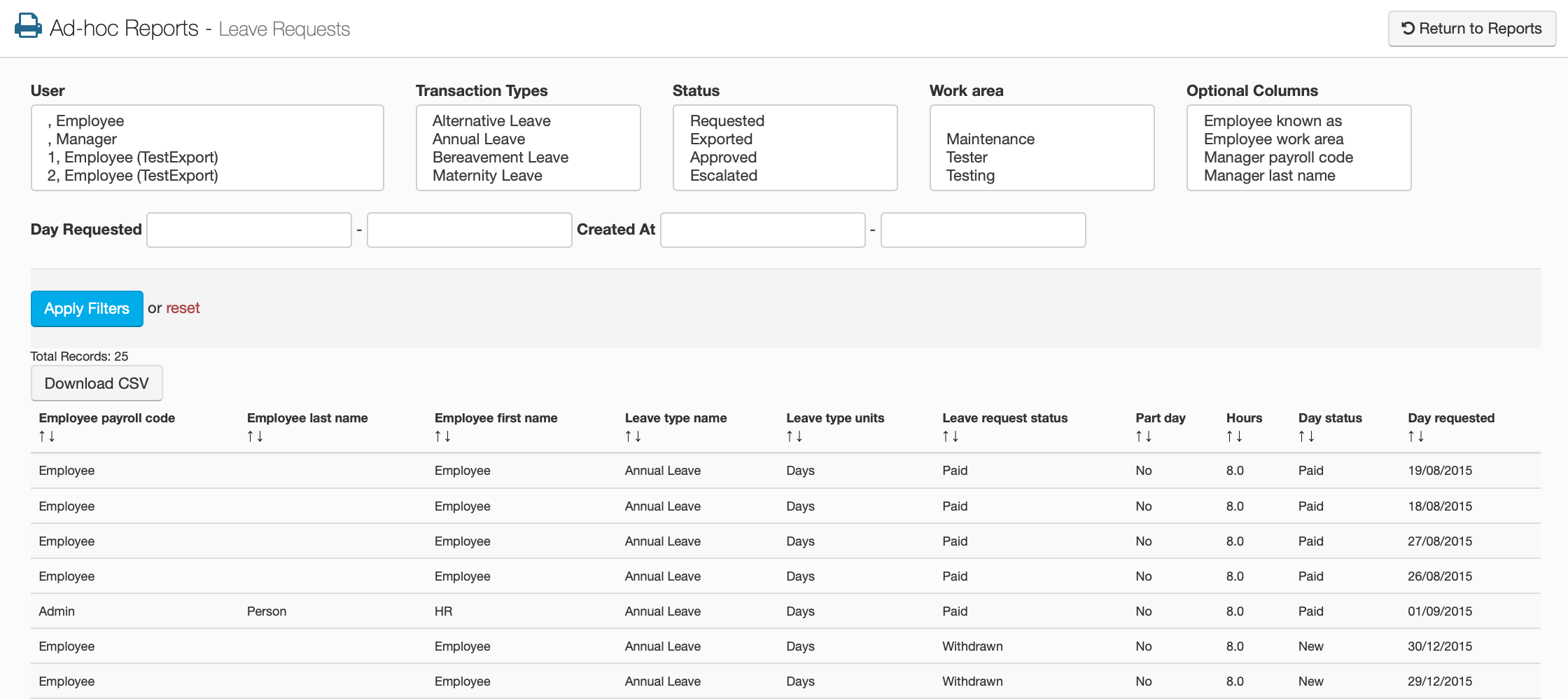
The first thing to notice is that this screen is split up into two separate parts. The top half being a bunch of filtering options, if you are looking for something in particular, the bottom half being the table that lists all of the leave requests that have been applied for on the portal.
Filtering Options
User
Select the specific employee that you want to see leave requests for.
Transaction Types
Select the transaction type that you are looking for.
Status
Select a specific state of requests that you want to view.
Work Area
Select the employee's work area.
Optional Columns
Selecting one of these options will add that information to the table should you want to view it.
Day Requested
Enter the days of the leave that was requested.
Created At
Enter the date the leave was requested for.
Leave Requests Table.
| Employee Payroll Code
This shows the employee's payroll code |
Employee Last Name
This shows the employee's last name |
| Employee First Name
This shows the employee's first name |
Employee Known As
This shows any other names the employee uses |
| Employee Work Area
This shows the employee's work area |
Manager Payroll Code
This shows the payroll code of the employee's manager |
| Manager Last Name
This shows the manager's last name |
Manager First Name
This shows the managers first name |
| Leave Type Name
This shows the name of the leave that was requested |
Leave Type Units
This shows the unit of measurement this leave type uses |
| Comment
This shows any comments on the leave request |
Leave Request Status
This shows whether the request is paid or pending |
| Part Day
This shows if the leave requested was a part day |
Hours
This shows how many hours were requested |
| Day Status
This shows if the request has been paid |
Day Requested
This shows you the day that the leave was requested |
| Created At
This shows you when the leave request was created |
Updated At
This shows you when the leave request was last updated |