
The HR Dashboard
An HR View of the reports screen
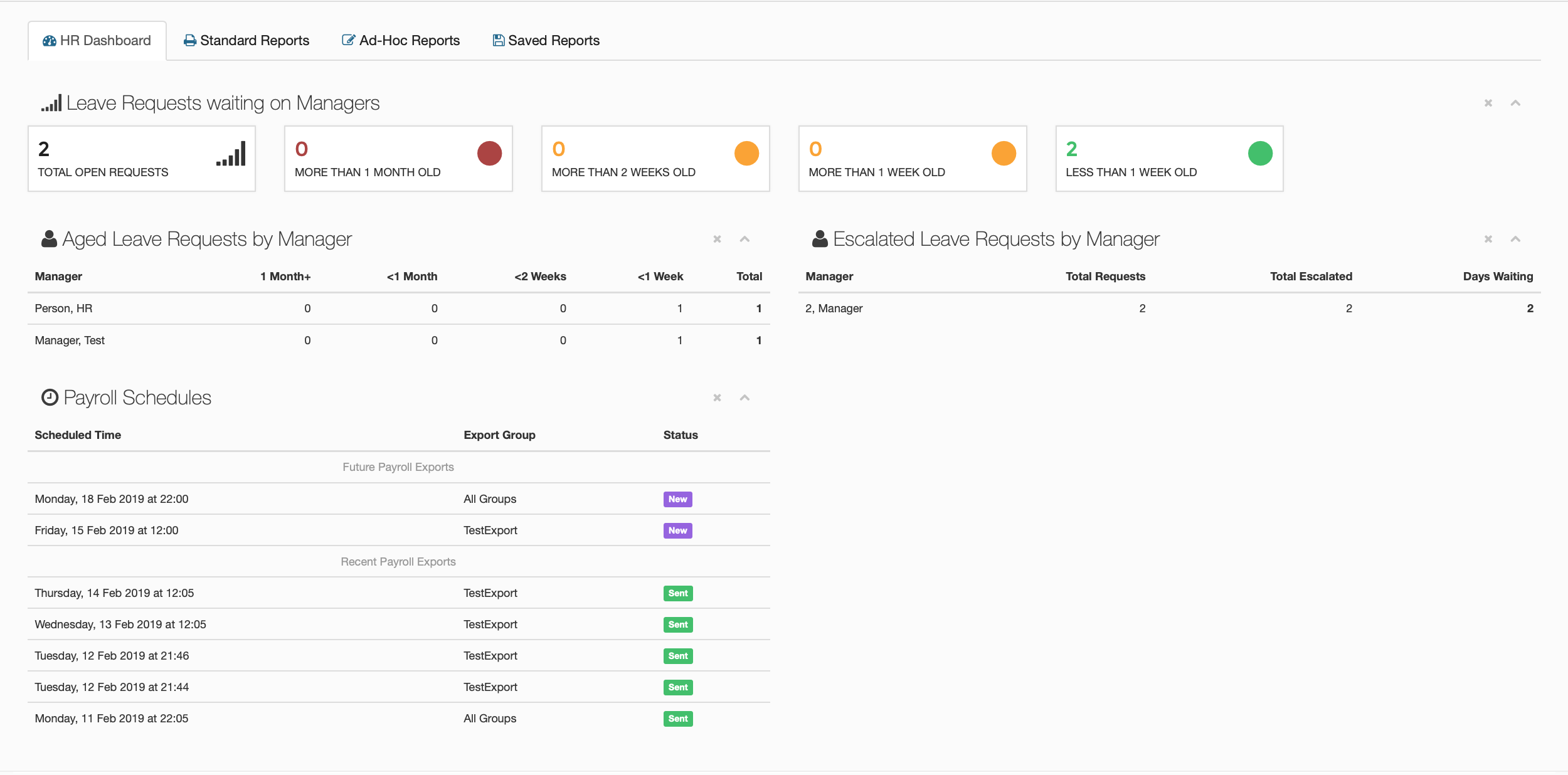
This is the screen you will see when you click on the reports page. It gives you a break down of any leave that has been requested as well as when that leave has been requested, if any of the requests have been escalated. You can alas see how old the escalations are and who they have gone to.
You also have a view of all current payroll schedules, including the most recent exports.
Leave Requests waiting on Managers
This is a small visual representation of any leave request waiting to be approved.
Total Open Requests
This will tell you how many requests that are currently on the portal, that haven't been accepted.
More Than 1 Month Old
Any leave requests that are older than a month will be shown here.
More than 2 Weeks Old
Any leave request that is older than 2 weeks will be shown here.
More Than 1 Week Old
Any leave request that is older than 1 week will be shown here.
Less Than 1 Week Old
Any newer leave request will be shown here.
Aged Leave Requests by Manager.
This panel will detail how long it has been since any manager has approved leave from their teams. It will show you the average length of time that it is taking for them to approve leave. It consists of five different columns, each containing a different amount of time. Cycling from over a month all the way down to just over a week old.
Escalated Leave Requests by Manager.
This table will show HR a list of Managers that have missed a leave request from their team and has had it escalate to the next manager. This can be used to find the managers that keep missing leave requests.
Payroll Schedules.
This table will show you all of the current exports that are due to be run, as well as all of the recent exports that have been run. It will also list what export group each of the schedules will be running under and also includes the status of each schedule.