
How do I import files
To import a file from an external source onto the portal, you need to use the import page. To get to the page where you can import a new file, click on the gear icon next to your name and select 'Import'

When you get to the next page, click on the green button at the top of the page, this will allow you to make a new import. You can also manage any imports you create here.
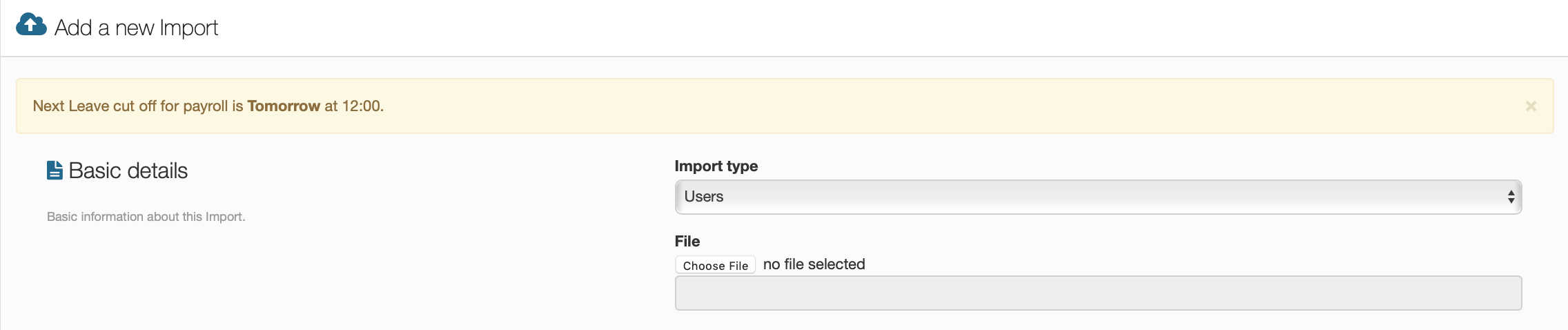
This screen will ask you to select which type of import it will be such as users, pays, etc. After that you need to select the import file from your documents so that the portal can pull all the information onto the site.
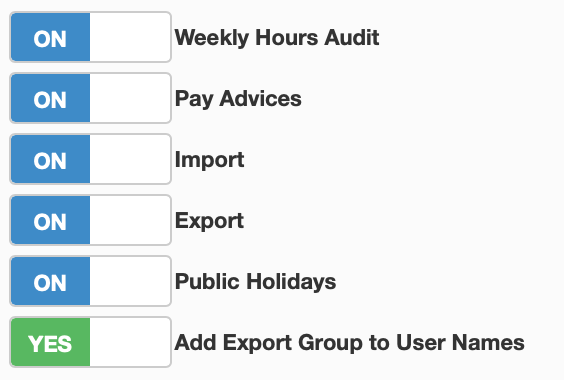
If the for some reason the 'Import' button is not in the menu, you will need to activate it, which you can do under features in account settings. When this is done you will be able to make imports.