
How to view pay advices
If you want to be able to see the pay advices for your company, you can enable this page under the account settings page. When you are on the account settings, click on the 'Features' tab, on the right hand side in a small menu will be the option to turn on pay advices. Once you have activated the slider, on the main menu, just below timesheets will be the button for the pay advices screen.
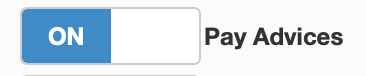
This is what the slider will look, it can be found in the small Manu on the right hand side of the screen.