
Bureau Messages
Bureau Notes.
The bureau notes tab, as the name implies, is only usable by bureau members. This will allow you to send a message to everyone on the portal, with the exception that they cannot remove the message until you decide to take it down.
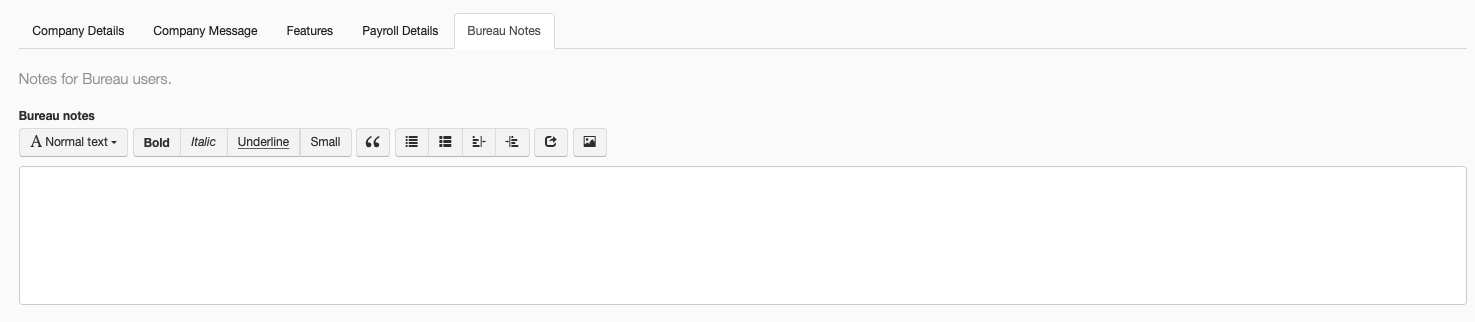
Writing a New Message
With this screen you are given a variety of options for composing a message, with a selection of customisation options. You are able to edit the scale of the text, change the font, use formatting tools, alignment, etc.
| Text Box | This is the main body where you enter the message | |
| Bold | Toggle bold formatting on or off | |
| Italic | Toggle italic formatting on or off | |
| Underline | Toggle underlining on or off | |
| Small | Toggle small lettering for the message | |
| Heavy Double Turned Comma | This button will place your text on the next line at a diagonal angle. | |
| Unordered List | This will put your text in a list using dots | |
| Ordered List | This will put your text in a list using numerics | |
| Outdent | This will move your body of text one space to the left | |
| Indent | This will move your body of text one space to the right | |
| Insert Link | This will allow you to insert a link into the message | |
| Insert Image | This will allow you to insert an image into the message |