
Schedules
Managing current Schedules.
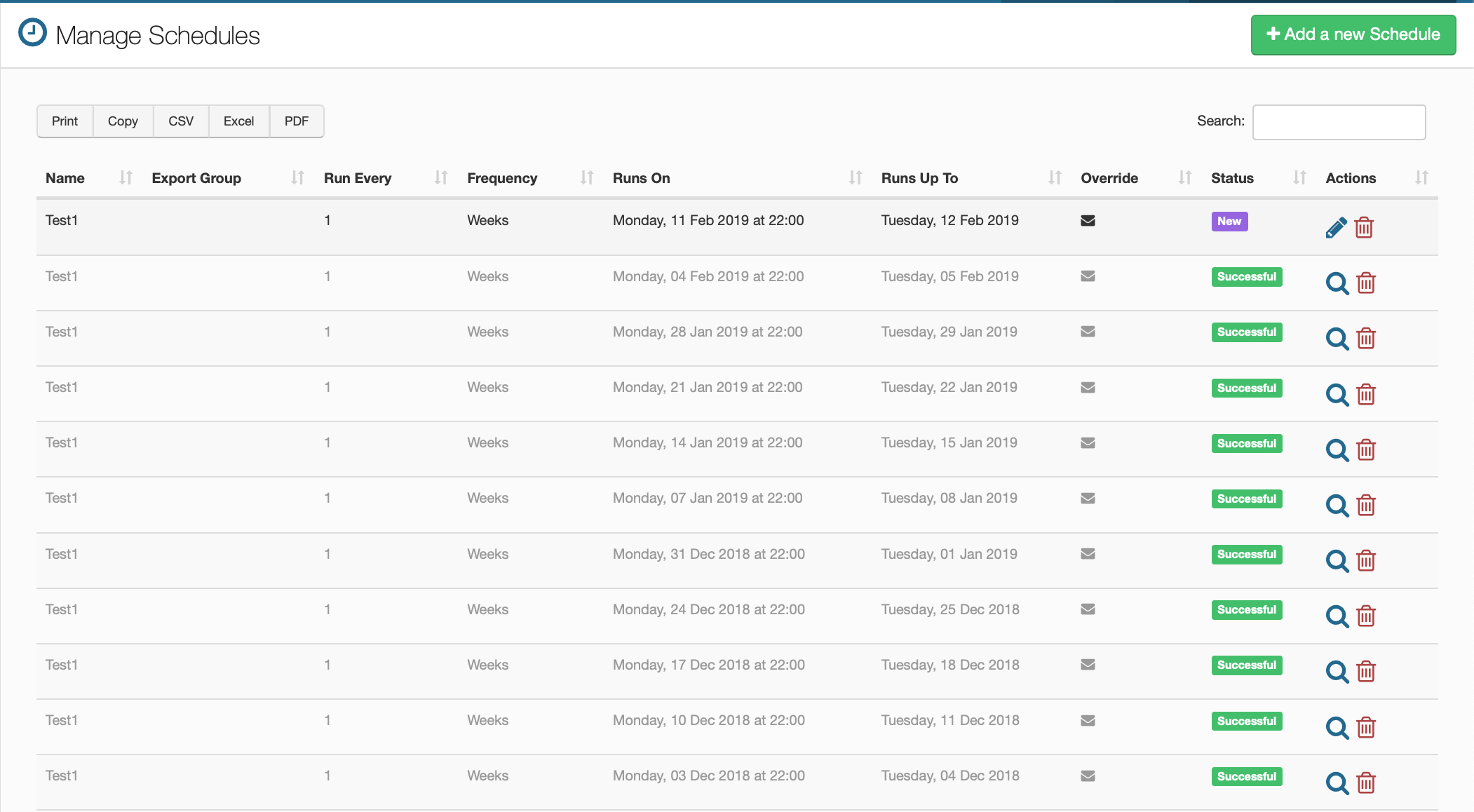
Existing Schedule Management
The purpose of this page is to show where your pay periods run up to as well as the time that they are set to run from. It also shows if an email has been sent to the person who is meant to receive them. Included here is also the frequency of when the reports are run and the status to show if they've been completed, are in progress or if they have failed. You can also delete any schedules as well as edit them if they are yet to run and view them if they have already run.
New Schedules
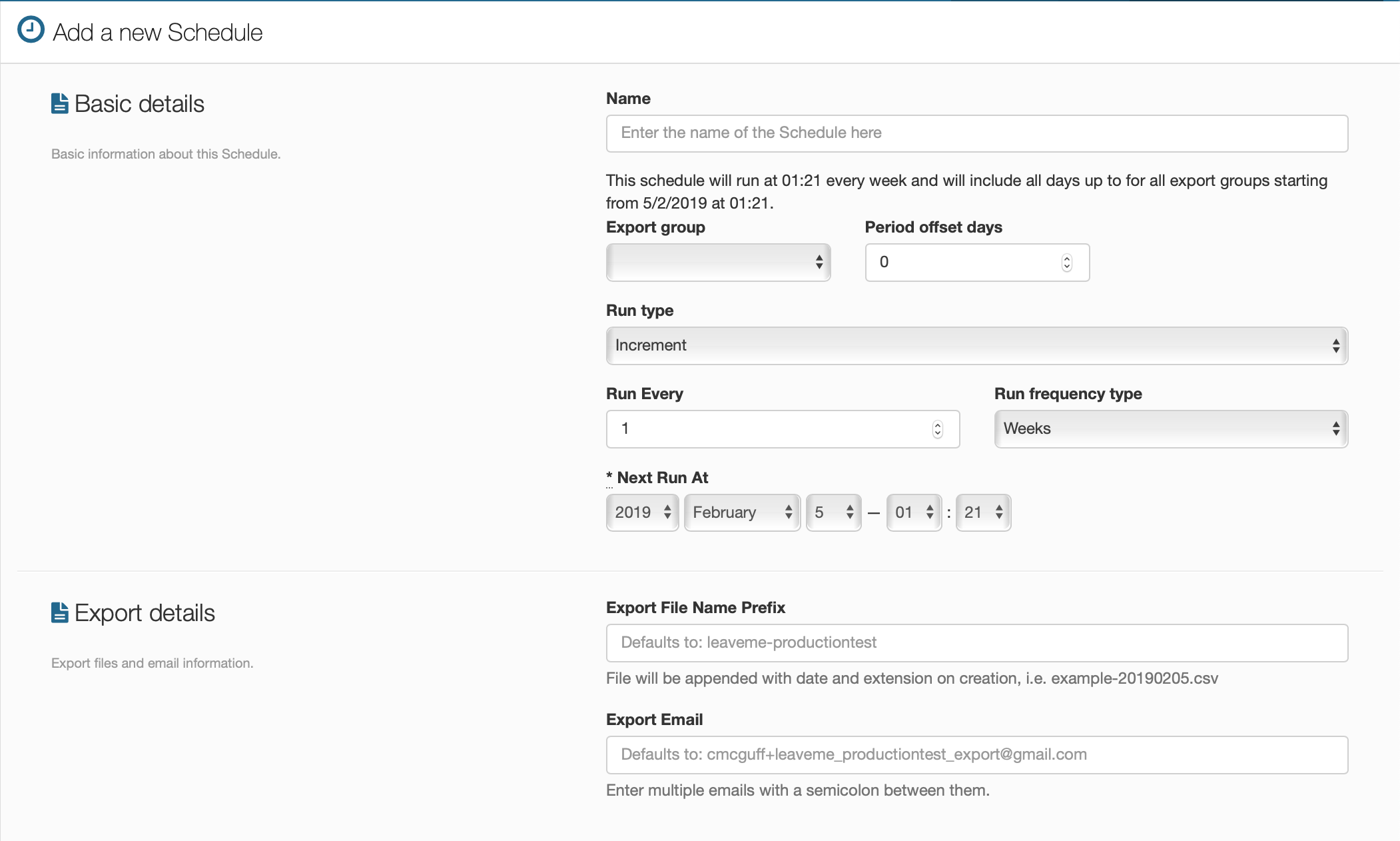
This is the screen that you use to create a new schedule, it contains all the information that you need to set a new schedule up.
Basic Details
Name
This is the name of the schedule that will be visible on the main table.
Export Group
Choose which group that you want exported with the schedule.
Period Offset Days
The amount of days off the regular pay period that a company chooses to run their schedule. For example, if a company chooses to pay its employees on a Wednesday instead of a Friday or Monday, then you would need to offset the pay period by the appropriate amount.
Run Type
Choose whether you want the schedule to run incrementally, on a specific day or at the end of the month.
Run Every
Choose by selecting a number that will correlate with the next option for how many of that frequency type you want it to run.
Run Frequency Type
Choose whether you want it to run every day, every week or every month.
Next Run At
This tells you the exact time that the schedule will next run.
Export File Name Prefix
Choose a name prefix that you want to have attached to the name of the schedule when it runs.
Export Email
Choose which email address you want the export scheduled being sent to, if you want to have more than one email address receiving the schedules, then simply separate each one with a